
You know the moment. You're in a store — or three tabs deep in an online sale — holding a set you're pretty sure you already own. Pretty sure. Not sure enough to risk forty bucks on a duplicate, not sure enough to walk away. So you stand there, thumbing through your memory like it's a filing cabinet.
Or it's the shelf at home: a dozen sets, some built, some half-built, some still sealed in bags, and you honestly couldn't tell someone which is which. The usual fix is a spreadsheet. You set one up, lovingly, update it twice, and then abandon it forever.
There's a better way, and it takes about ten seconds per set.
Why the spreadsheet always dies
Spreadsheets fail collectors for the same three reasons every time. They're a chore to fill in — every set is manual typing. They don't hold the thing you actually need, which is the instructions. And they're never open on your phone at the exact moment you're standing in the store about to double-buy.
A collection tracker only works if updating it is faster than not bothering. So let's make it that fast.
BrikSnap gives you two tools for this, and they work independently — a Library for tracking everything, and Collections for grouping. Use one, use both, in whatever order suits you.
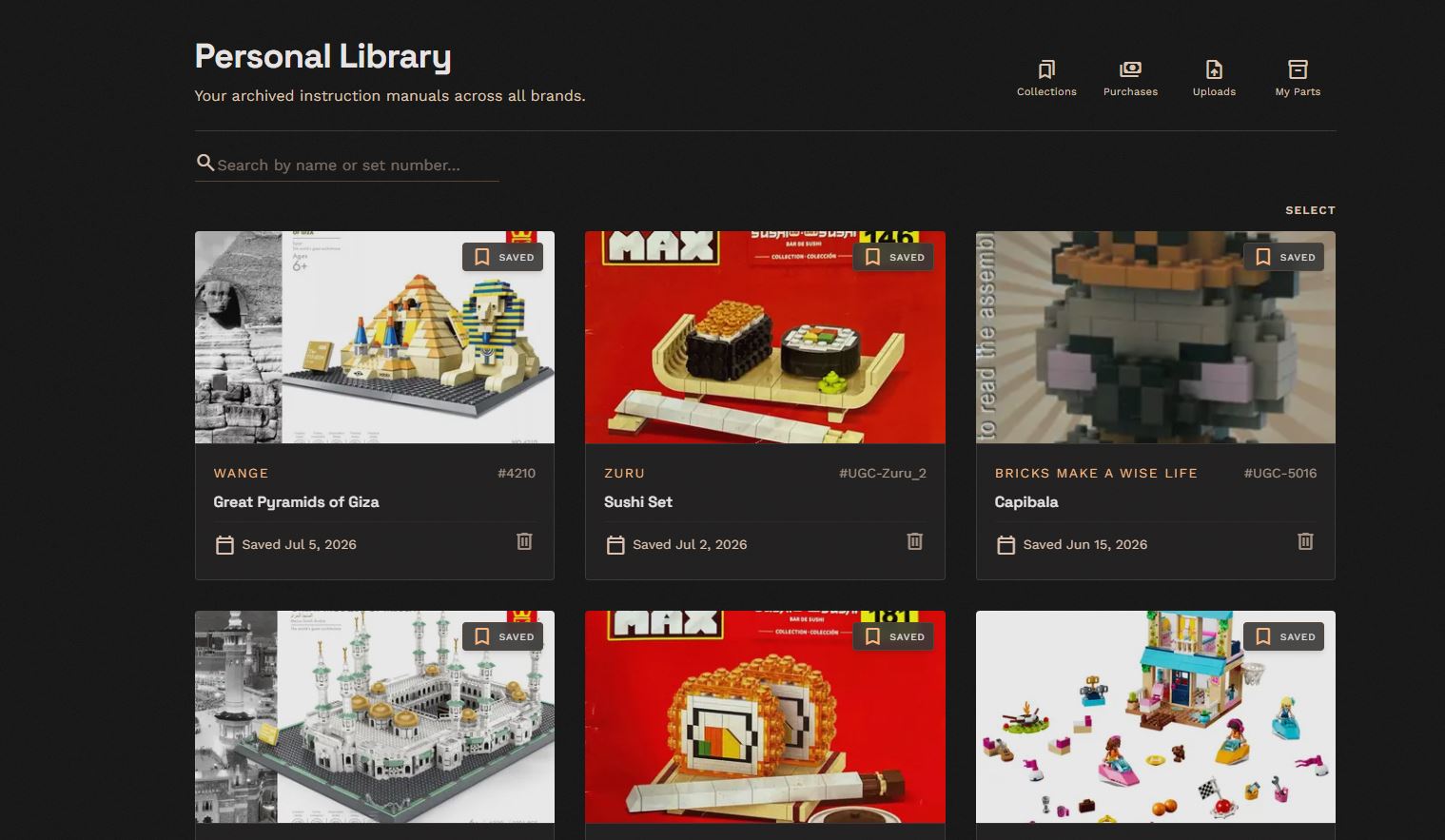
The Library: your master list
Your Library is the one place that holds every set you want to keep track — across every brand, not just one. Found a set? Search for it by photo, number, or description, hit Save, and it's in. No typing part numbers into a cell. No copy-pasting from a receipt.
And because it's BrikSnap, each saved set comes with its instructions already attached. The list isn't just a record that you own the thing — it's a one-tap route to actually building it.
Collections: group sets your way
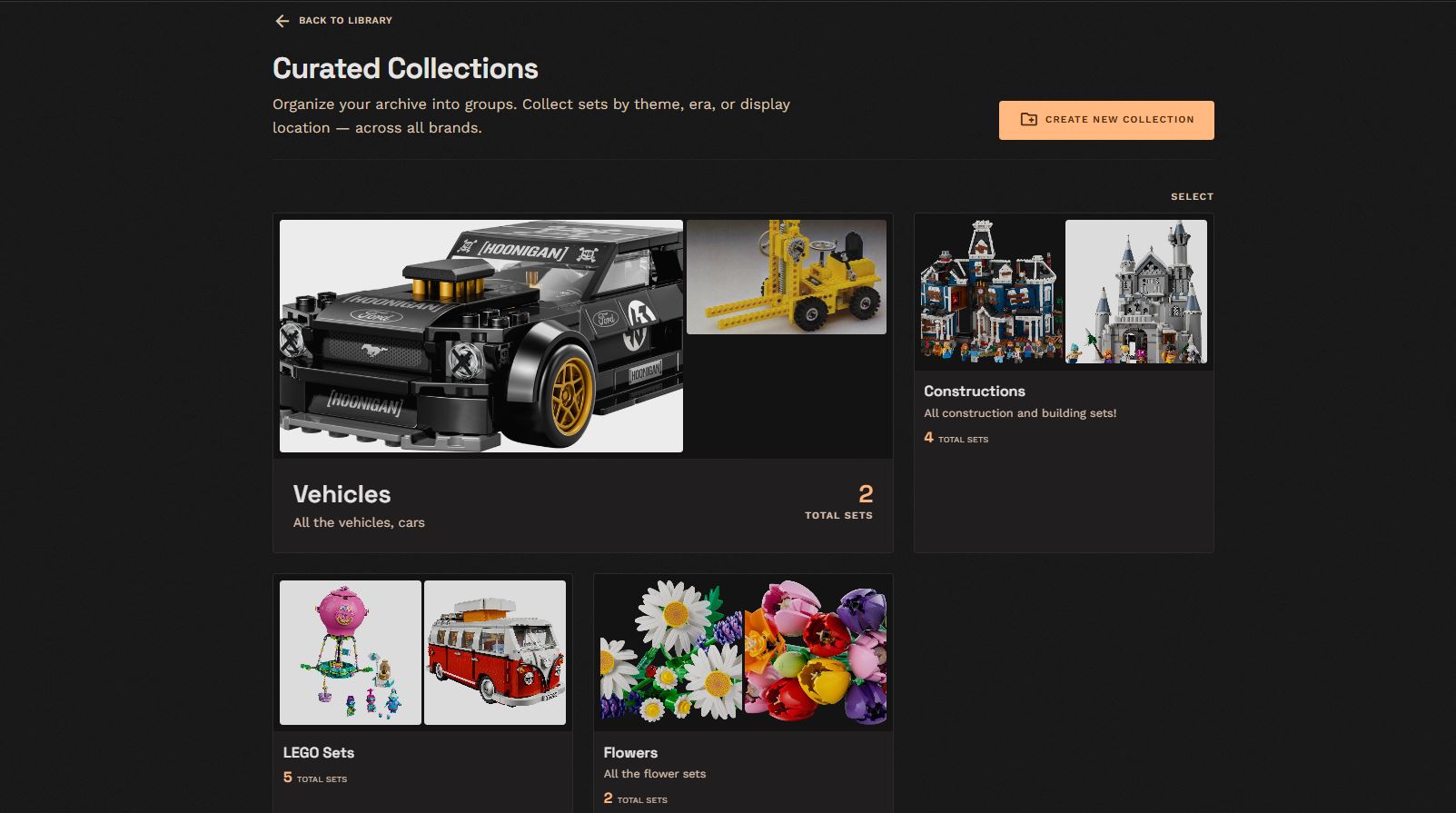
Once you've got more than a handful of sets, a single flat list gets unwieldy. That's what Collections are for — private groupings you organize however your brain works. And you don't have to save a set to your Library first: you can drop any set straight into a collection, Library or not.
Organize them however suits you:
- By theme — all your castles in one place, all your cars in another
- By era — the vintage stuff apart from the modern
- By shelf or room — "living room display," "kids' room," "in storage"
- By intent — a "build next" shortlist so you're never staring at the shelf deciding
Same set can live in more than one collection. It's your filing system, not ours.
Why this beats a spreadsheet, every time
- Instructions are attached. The list is the build button.
- It's on your phone. Which means it's with you in the store — the one moment tracking actually pays off.
- Every brand in one place. Your collection probably isn't all one brand. Single-brand trackers can't hold your Wange castle next to your city block; your Library can.
- Zero data entry. You find and save. No spreadsheet columns, ever.
Start with one set
Don't try to catalog everything in an afternoon — that's how the spreadsheet died. Just save the next set you pick up, and let it grow from there. In a month you'll have the collection map you always meant to make, and you'll never stand frozen in a store aisle again.
Save your first set — future-you, mid-sale, will thank you.